
Executive Summary
Role: Manager and Lead Designer, responsible for the redesign of Product & Portfolio Management (PPM) platform for large global enterprises.
Challenge: The existing PPM platform suffered from significant usability issues and diminishing business value, leading to customer churn. The main problem was a fragmented user experience and outdated interfaces across its numerous interdependent modules, hindering visibility and collaboration for users ranging from CEOs to contractors of the work they were planning or was underway.
Solution & Contributions: Led a multi-year, ground-up redesign effort across 17 core PPM modules (including Admin and Roadmapping), focusing on enhancing usability, consistency, and strategic alignment. Key initiatives included:
- Strategic Partnership: Co-created a cross-functional product-discovery and feature-delivery system with Product Management, aligning Design, PM, and Engineering on priorities and vocabulary. Partnered directly with executive leadership to shape product strategy across the portfolio.
- Design System & Team Scaling: Designed and managed a new component system to drive platform-wide consistency. Grew the UX team from one to four designers and introduced a culture of self-driven designers, elevating design’s influence in product decisions.
- User-Centered Transformation: Started a continuous customer-driven research process to inform design decisions and validate solutions for complex, customizable workflows. Defined core principles and data models (like the Work Breakdown Structure) to ensure scalability and contextual relevance for diverse personas.
Impact & Outcomes: The redesign significantly improved the platform’s performance and business value:
Strategic Alignment: Successfully elevated design understanding and ensured consistent quality standards across a wide variety of stakeholders, bringing UX to the forefront of product strategy. This work was recognized by internal stakeholders as having “saved this product.”
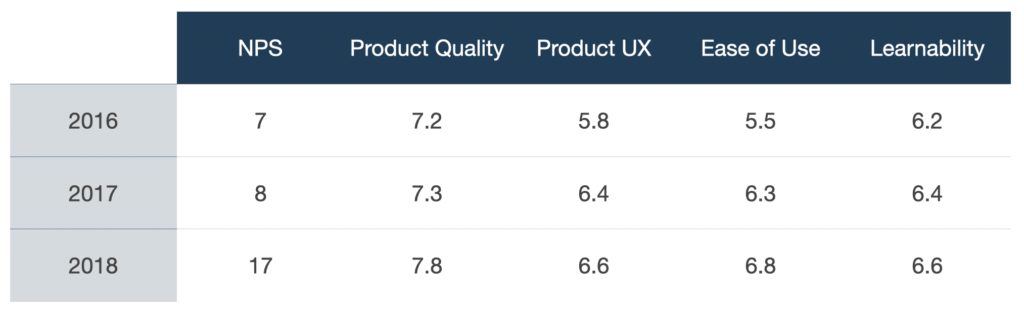
Enhanced Usability & Retention: Directly improved product usability and retention, reflected in a 73% reduction in time on task for the Admin module and a noticeable increase in NPS and overall usability metrics.
Operational Efficiency: Provided users with innovative tools like the multi-view Roadmapping module, which solved critical version control and communication breakdown issues.
Background
PPM helps large companies break down silos and gives anyone, from the CEO to part-time contractors, visibility into planned work and the status of current works-in-progress. PPM is customized to each business’ specific needs and processes. For instance, customers like JP Morgan have different needs than Boeing, Coca-Cola, Amazon, Ikea or Disney. The graphic below is an older example of the complexity and interdependencies of a company like Disney. Disney was often a good reference in the design process.
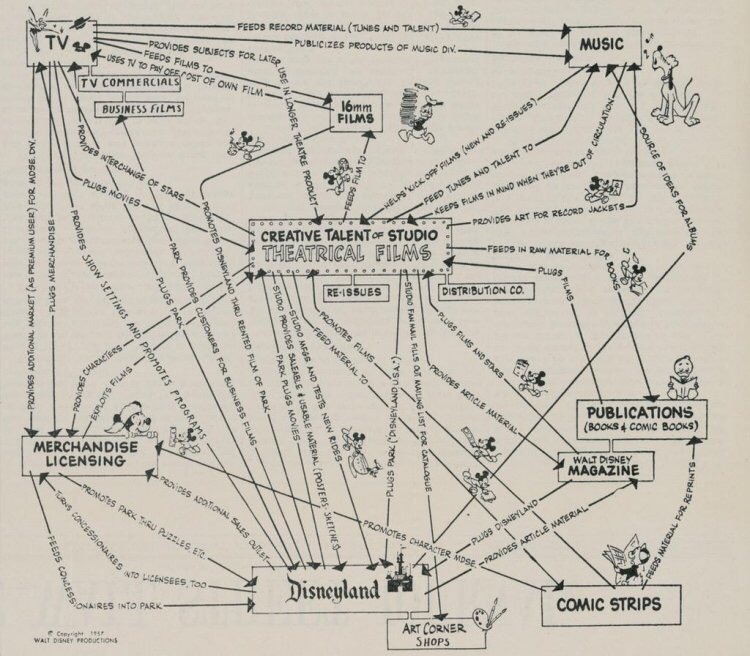
Modules like Conversations, Tasks, Risks, Documents, Financials, Issues, Changes, Staffing, Projects, Administration, Timesheets or Roadmapping worked in unison and shared relevant data that kept people and teams in sync to help companies function.
Problem
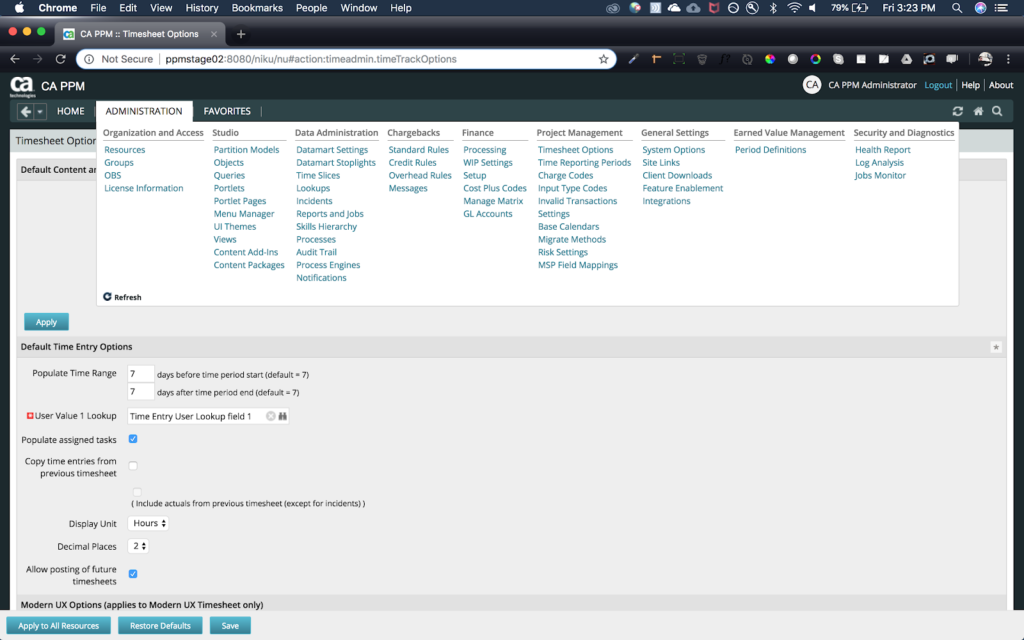
Over the years, PPM had fallen behind in its usability and overall business value. As UX began to modernize interfaces, PPM was falling behind and losing customers. I was hired to redesign the product from the ground up. Below is an example of the Information Architecture and the overall UI.
Solution
I worked on PPM for three years and achieved the following high-level accomplishments:
- Lead design of 17 PPM modules including: Admin, Roadmapping, Projects, Analytics on mobile and desktop applications
- Grew team from one to four designers with one researcher
- Worked with Product Management to co-design a product-discovery and feature-delivery system that helped Engineering, Design and PM align, set clear priorities and share the same vocabulary
- Worked closely with a wide variety of stakeholders to elevate design understanding and ensure designs were consistent and met quality standards
- Designed component system and managed component system backlog
- Created a culture of self-driven designers, empowered to help drive the product roadmap and help bring UX to the forefront of product decisions
- Consulted with Executive leadership on Product Strategy amongst the portfolio
Note: This case study highlights the design of the Admin and Roadmapping modules.
Process: Admin Module
Background, research and discovery
An administrator has authority to architect the entire PPM instance for their company and have it customized to their business’ process and needs. The bulk of an administrator’s time is spent collaborating with stakeholders to create and maintain templates for the various divisions, teams, and individuals. Over time, if any new need or issue is found, an administrator is called to create a new template or alter an existing one to help a division or specific team.
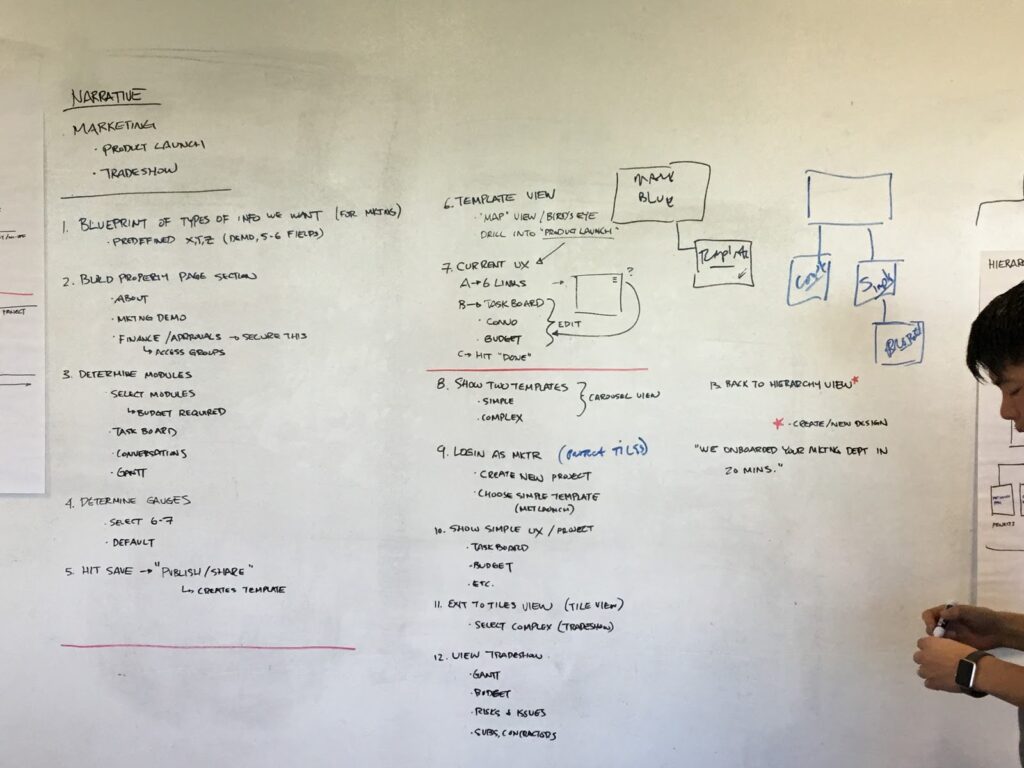
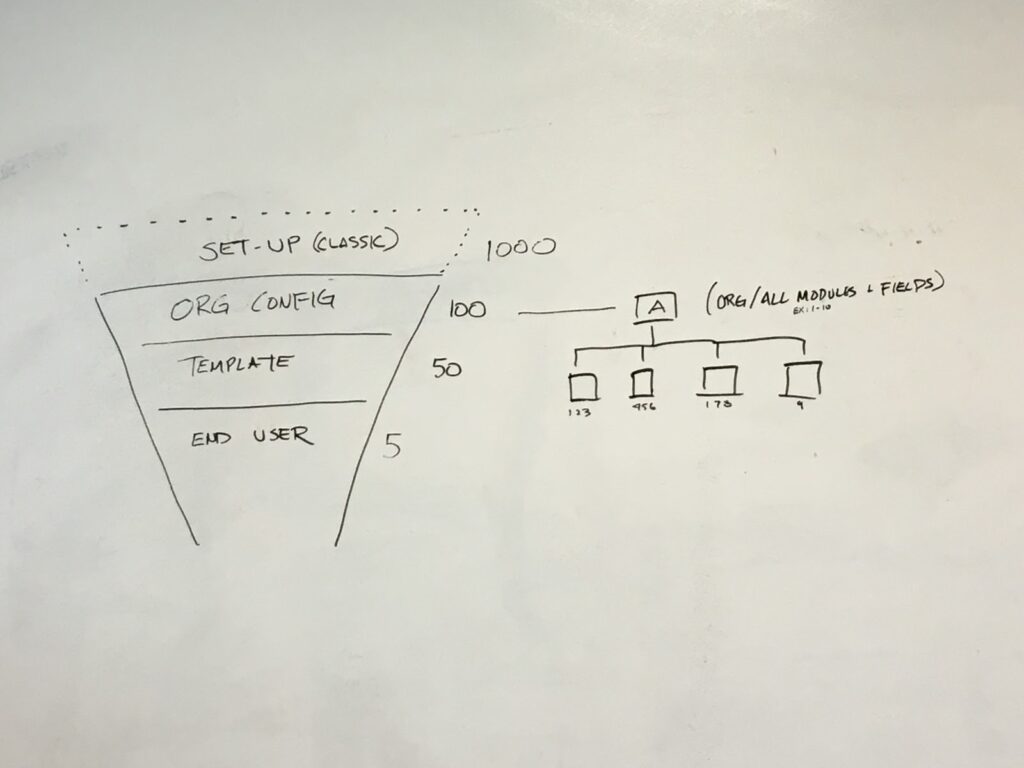
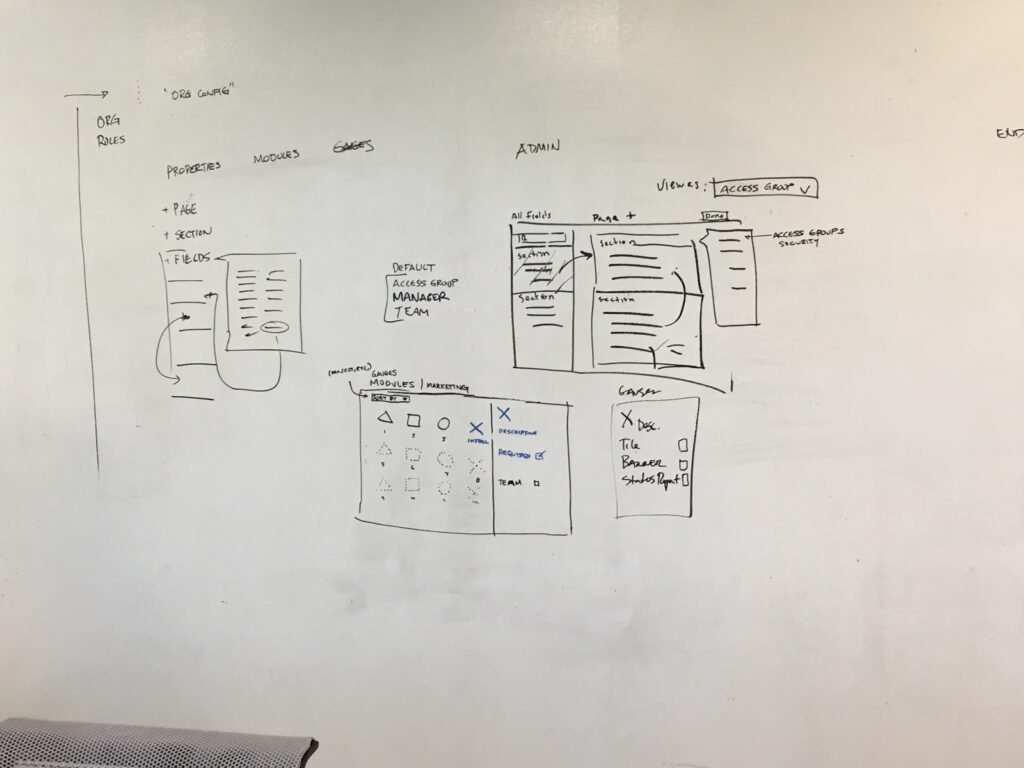
To start the redesign of the Admin module, my team met with three customer Admins for initial contextual interviews and then kicked off a three-day design sprint to move quickly. Here you can see the detail page and module screen come to life during the sprint:
Prototype
After the sprint, I started to create rough clickable prototypes in Axure. After a few internal iterations with PM, the team met with customer administrators and asked them to create a new project blueprint. Our primary measure of success was time on task compared to the current Admin module.
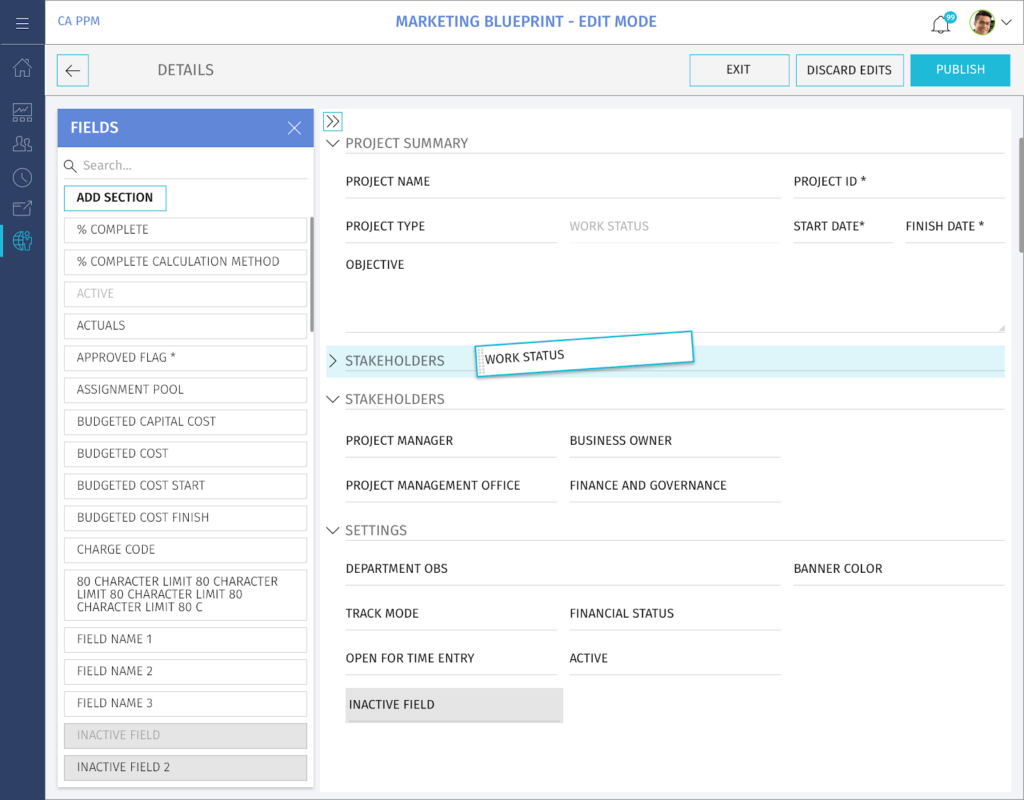
Admins can apply any data attribute within PPM from the left list and drag them into the various sections they create for their project template. Each field is resizable within the six-column grid. I collaborated extensively with our two Architects to understand the Object Breakdown Structure (OBS). The OBS is the data model that generates these views for each end user. 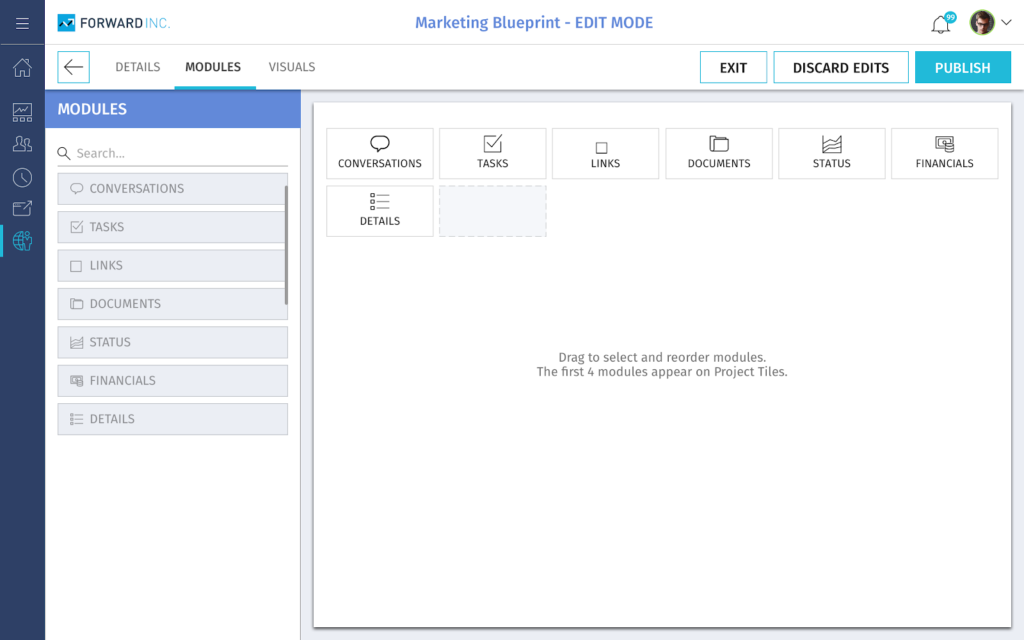
Each project template can contain any module. The administrator will collaborate with the department to configure these modules for each template they create. During initial research, customers told me how hard the Admin module was to configure. We designed a drag-and-drop pattern that was inspired by low-code/no-code products. Engineering implemented using the Gridster library. 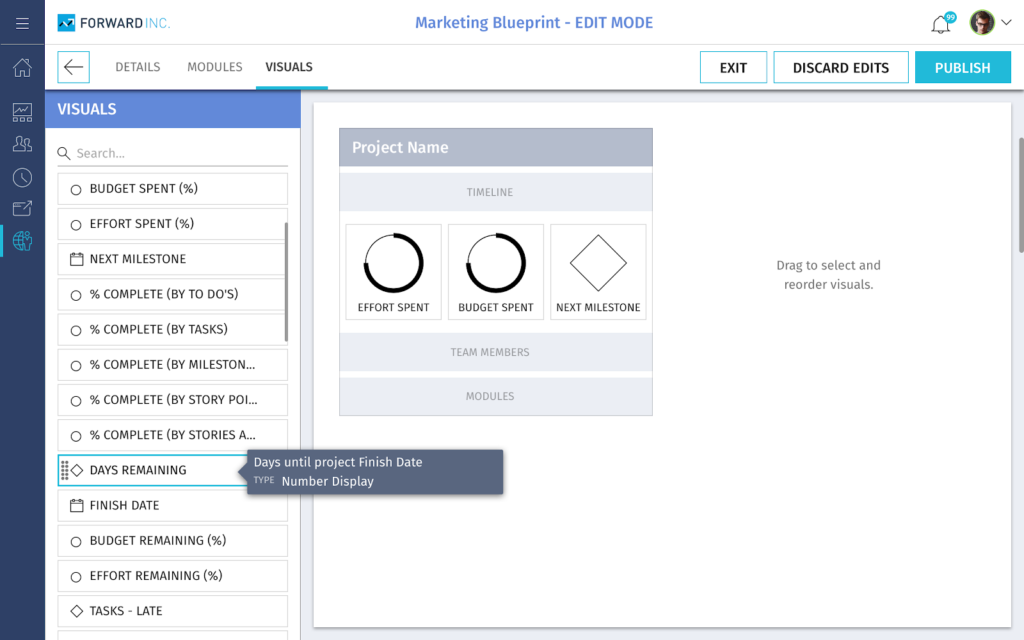
When an end user logs into their PPM instance, they’ll see a dashboard with the projects they’re working on. The administrator is also able to configure the metrics displayed on the project tiles.
Research and findings
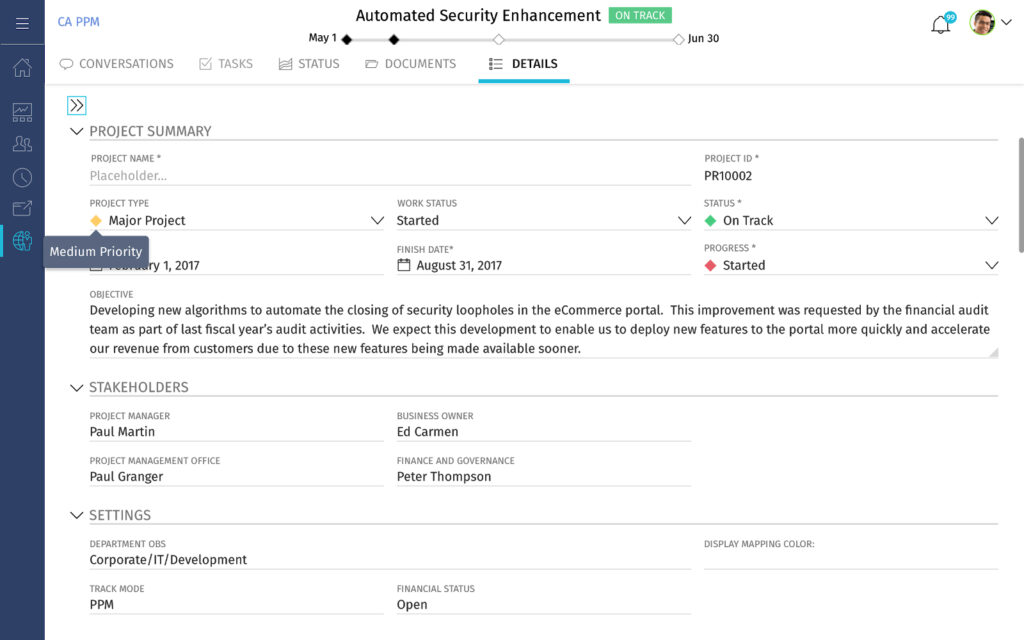
The user testing revealed time on task was reduced by 73%. In the deliverable below, the attribute details of a project can be referenced within the last tab of any project. This location of project details allows for business planning, continuity and ease. If there were ever an issue, the end-user could call an Admin to reference where a field was in the template details for updates.
Process: Roadmapping
Background, research and discovery
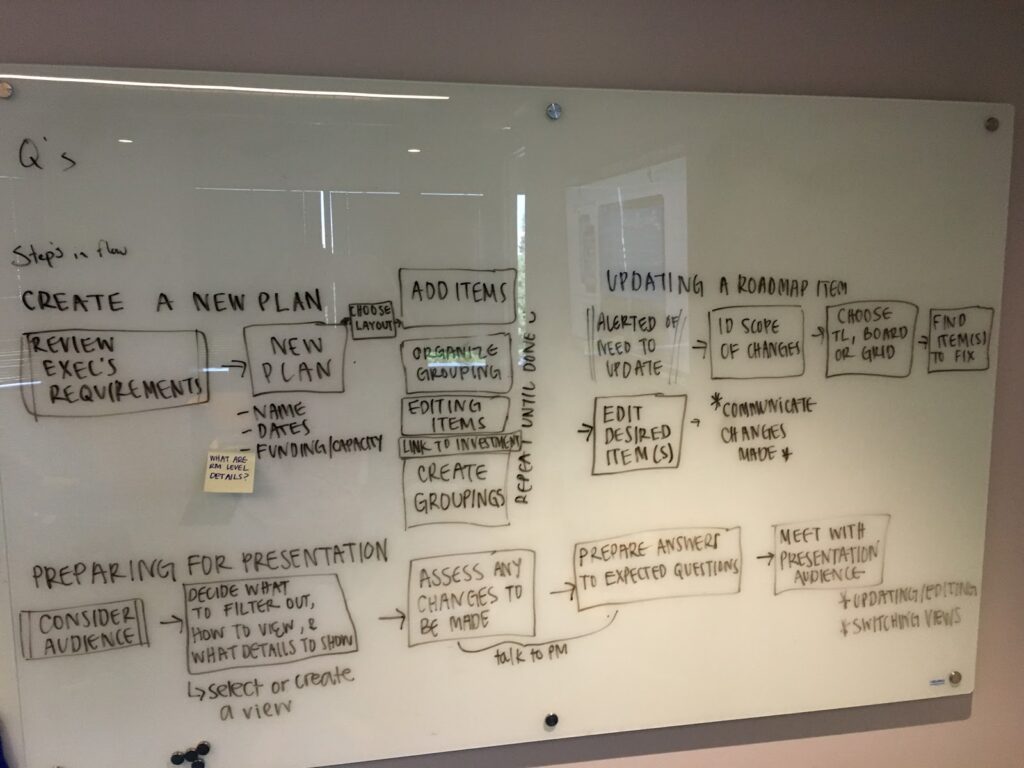
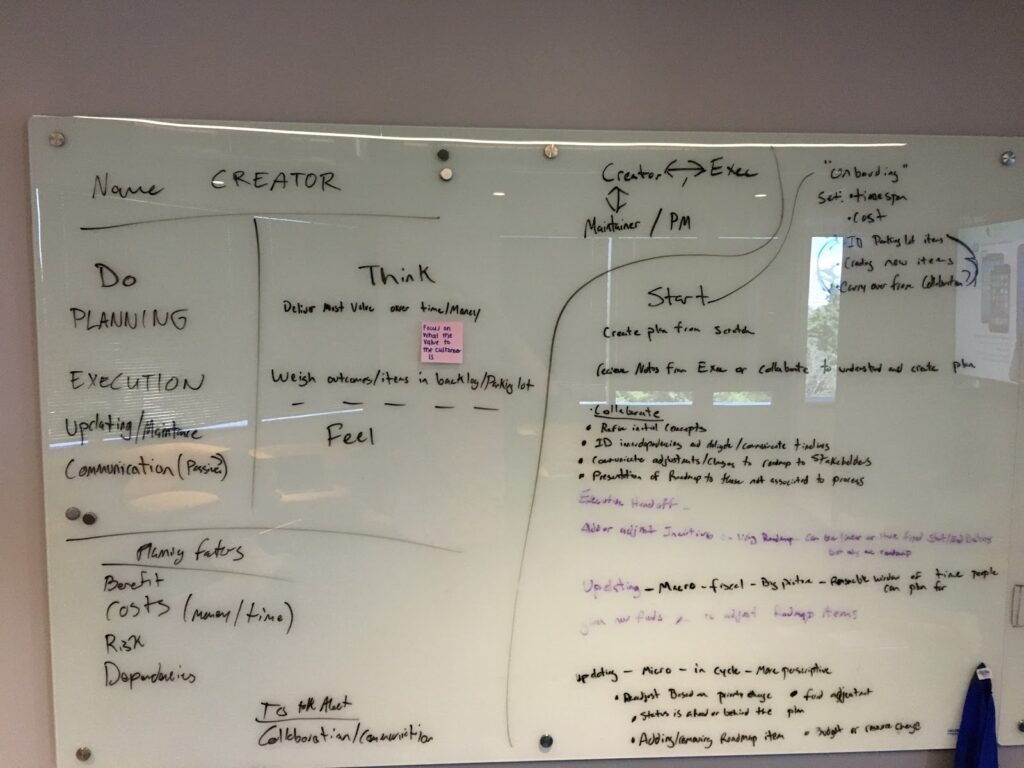
Roadmapping is a shared view that clearly communicates project planning and status used by different divisions. During initial research it became clear the Roadmapping was going to be a heavily-used module. PM and UX identified five key customers in various sectors for research. UX led the contextual inquiries to understand the customers’ planning process as well as what was and wasn’t working for them. From these meetings, my team started to lay out initial user flow and high-level needs/wants. During some contextual inquiries, we found customers sharing pictures of sticky notes and affinity diagrams from past meetings. Most often, users would show us spreadsheets that had no version control and often led to communication breakdown and confusion.
Defining First Principles
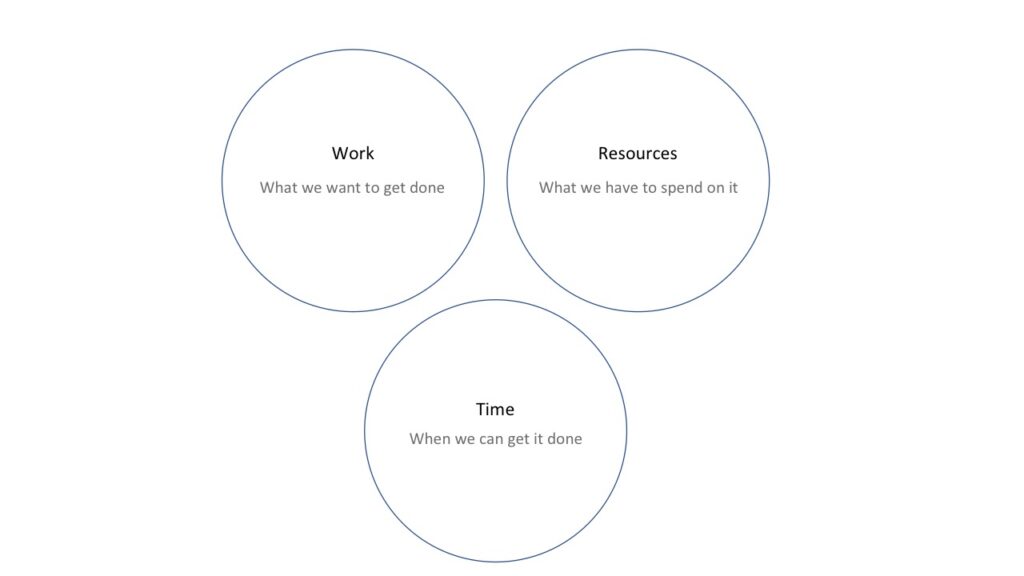
PM came to my team with so many ideas that didn’t quite fit together. After a lot of deliberation, we distilled the ideas down into simple diagrams to help align ourselves and PM and focus on the problem. One of my designers created this diagram that helped us frame many conversations about work breakdown structures. Thinking in first principles was a key process in the group’s ability to think clearly and succinctly with such complex topics.
Other principles my team defined for Roadmapping:
- Set the right context, at the right levels – use of a common framework across the various issues allows for integration, synchronisation and alignment of the organization
- Share one vision, but embrace diversity – be flexible to the different strategy issues companies, divisions, teams and their employees face
- Be scalable at different organizational levels – apply both broad and specific analyses, embrace innovation and scenario evaluation
Systems Thinking
I created the diagram below to help align the UX and PM teams on the data flow model called the Work Breakdown Structure (WBS):
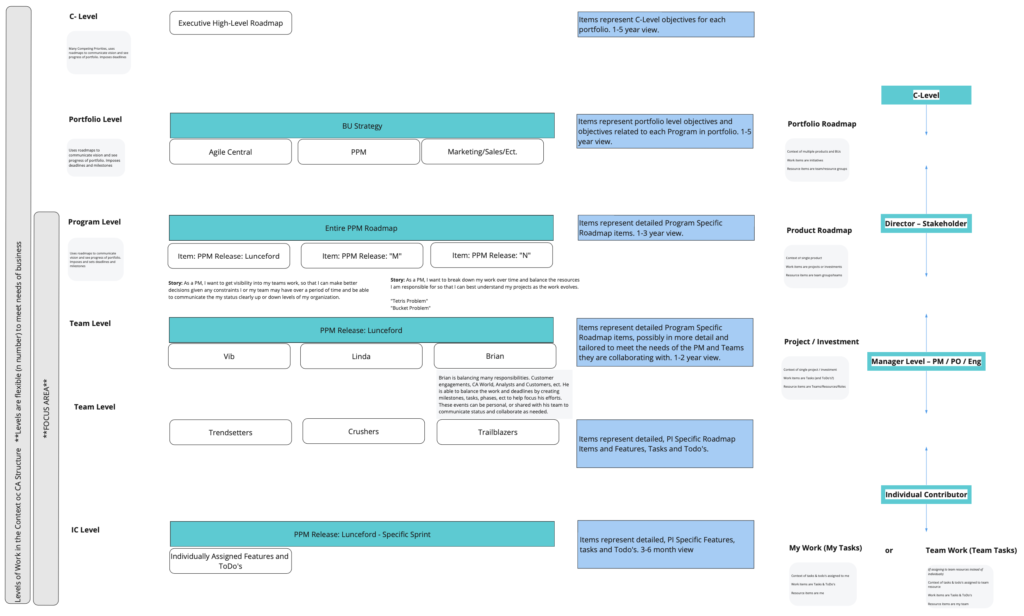
Hypothetically, during a meeting, a director can build and share a roadmap with the executive team and speak about relevant metrics and status updates that make sense to the group at that level. Later that day, the same director can sit with their direct reports and share a more detailed, granular view of how the work is being done, day-to-day. Behind the scenes, WBS is tracking the progress of these projects using attributes that are constantly updated in real-time and presented to each persona type, at each level of the company in ways that makes the most sense to them.
3. Design Iteration
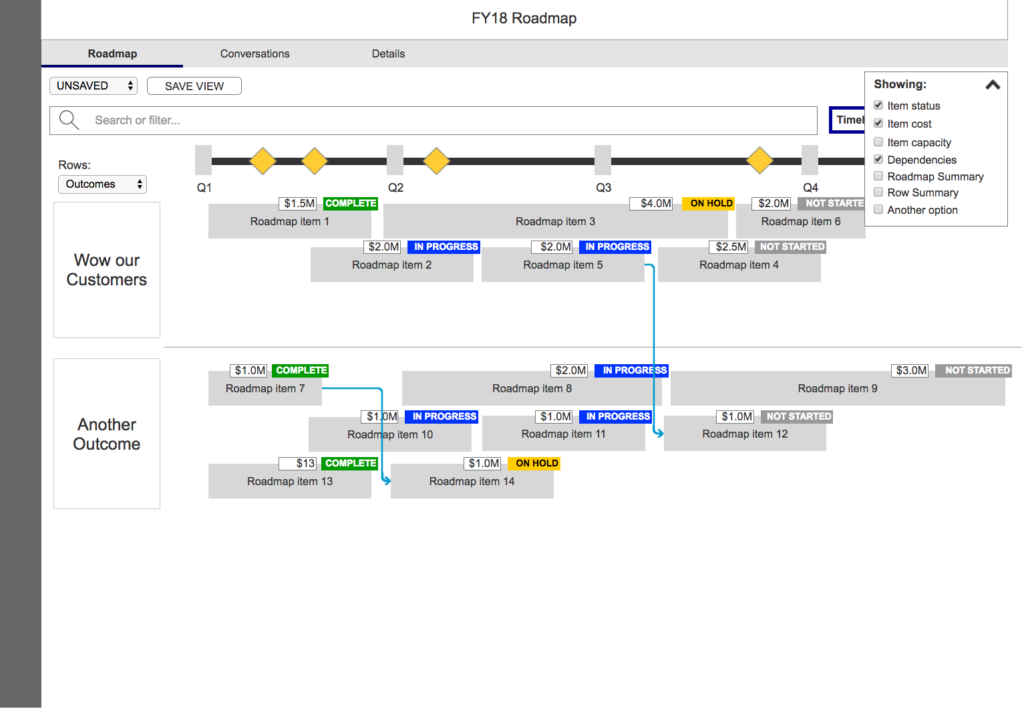
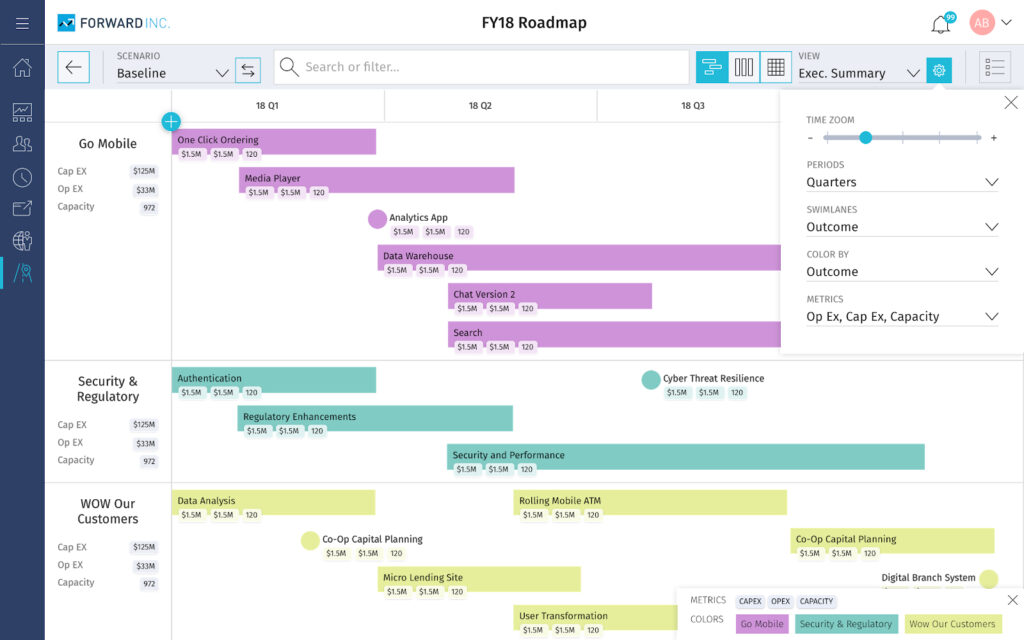
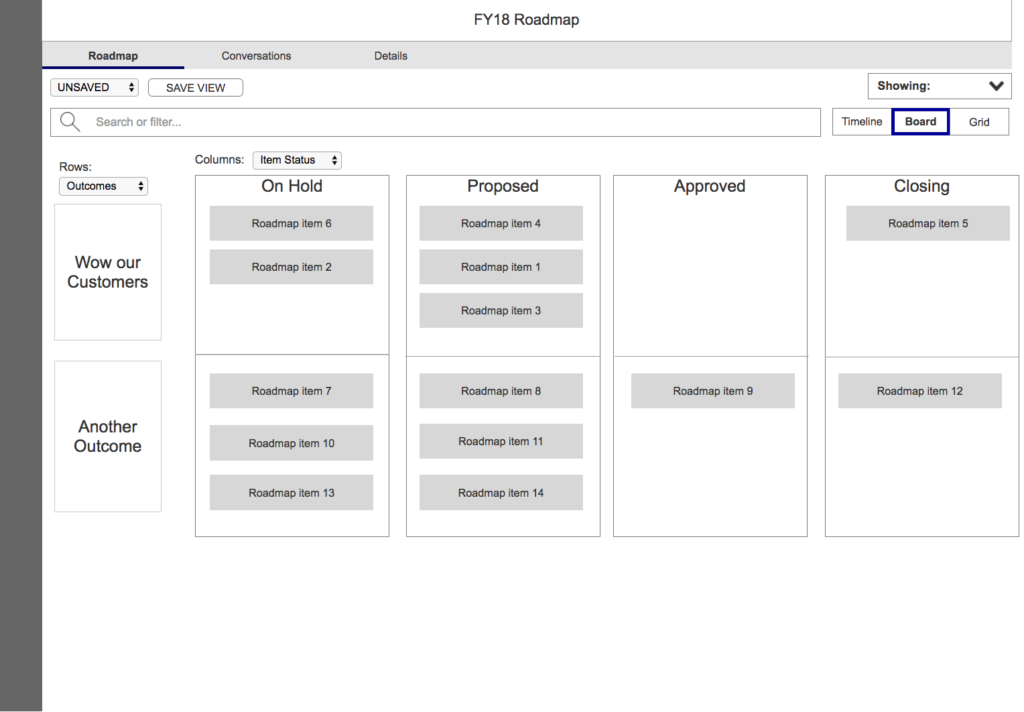
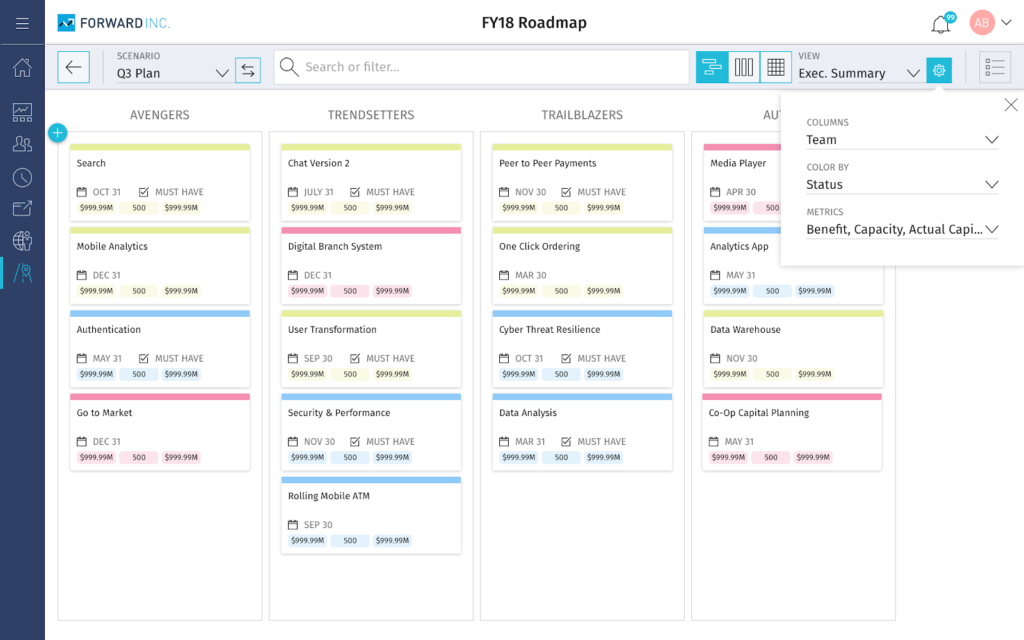
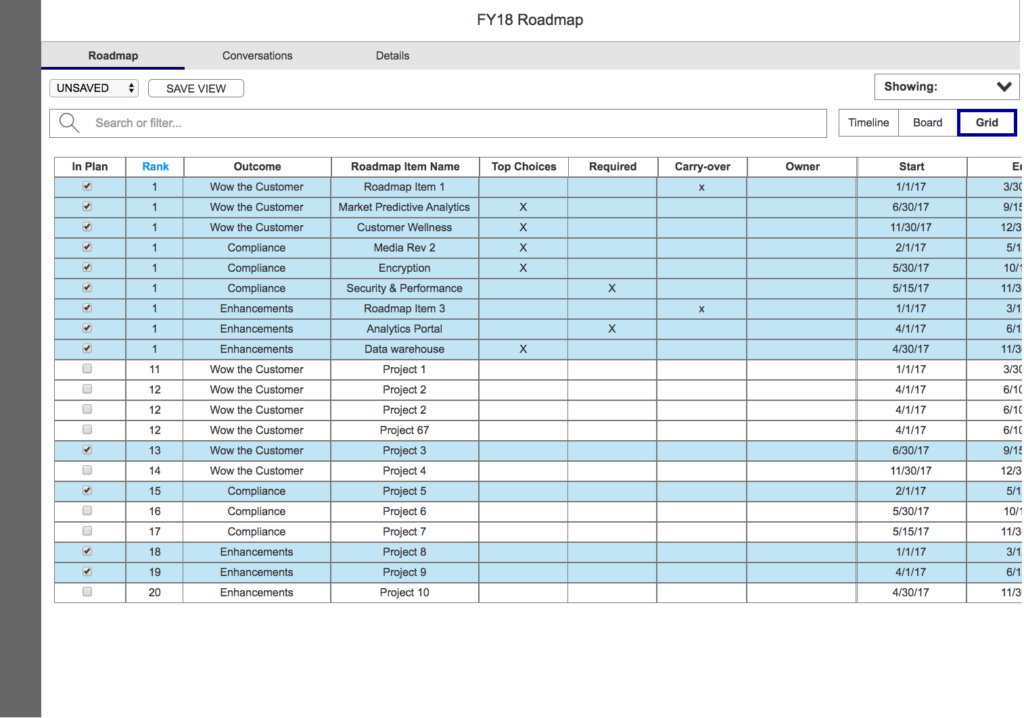
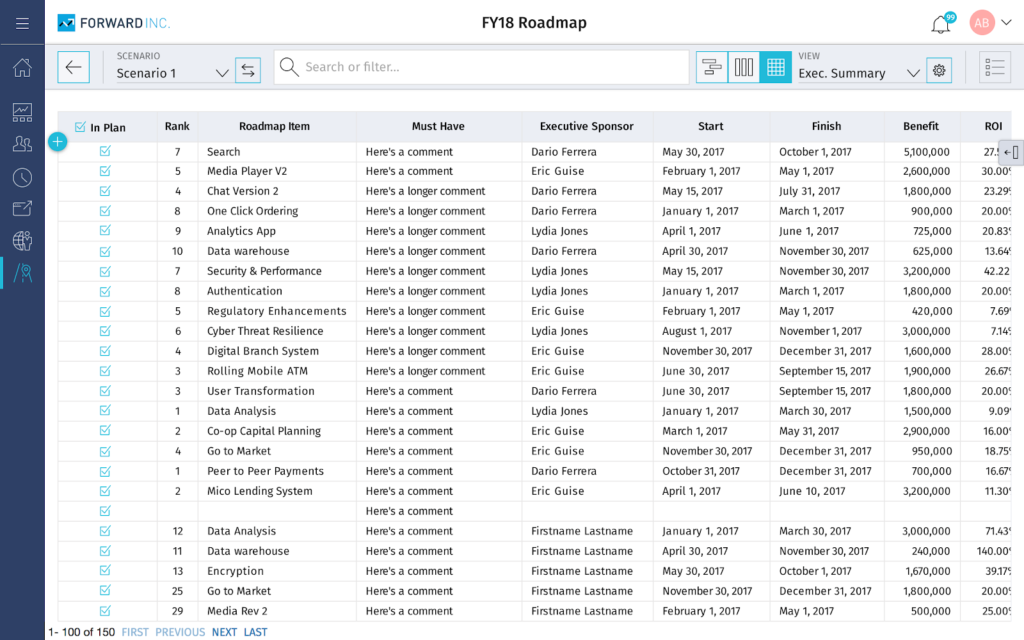
During this project, my team met with stakeholders daily and we would meet as a UX team in the afternoons. Together, we came up with features like Saved Views, Dependencies and Scenarios. Possibly the biggest user benefits this module provided were the Timeline, Board and Grid views. This three-way toggle view helped users visually interpret, pivot and configure the same attribute data behind the scenes in different ways – a very powerful tool.
Timeline View
Board View
Grid View
End Result
The interaction spec below was delivered to Engineering and was also given to the VP of Product to present at the company’s annual customer conference.
Reflection
Over time, our NPS started to improve and key metrics for usability steadily increased, too:
A lot of this success was made possible by my direct team. That said, I think the reason the product was successful was due to the integration between PM and UX. A lot of trust was built, we communicated fluidly and embraced the wildest of ideas while keeping the customer in mind and researching assumptions early and often together. Below are some feedback from internal stakeholders:
UX is always refining the product. They are never done and are always there to help us understand.”
– Product Owner
You help us see the problems more clearly and communicate to other stakeholders.”
– Product Manager
You have saved this product…”
– Senior Director of Product Management