Case StudyApp Delivery and Security
From concept to code: designing a new AI/ML-powered enterprise product.
A new product for system administrators to deploy, monitor, and control internal and external applications — defining a complex product from scratch, integrating AI/ML capabilities, and ensuring scalability within a broad enterprise ecosystem.
Solution & Vision
Defining a new enterprise product's IA, data flow, and AI/ML framework from scratch.
Led the comprehensive product design, including defining the Information Architecture (IA), data-flow models, and core UX/UI for the new application. This involved close collaboration with Senior Principal Architects and cross-functional teams to align on a unified platform strategy and implement a pattern-level IA that integrated four existing products. A key component was designing the AI/ML framework and action policies to balance automation with user trust.
Key Contributions & Impact
- Strategic Product Definition: drove the product from initial concept to General Availability (GA), providing vision and guidance that directly shaped the business direction.
- Significant Funding & Team Growth: design leadership directly contributed to doubling product funding and scaling the design team from 1 to 4 designers, alongside growing the engineering team from 43 to 125.
- AI/ML Integration: defined and designed the foundational AI/ML framework and action policies, enabling intelligent automation within the platform.
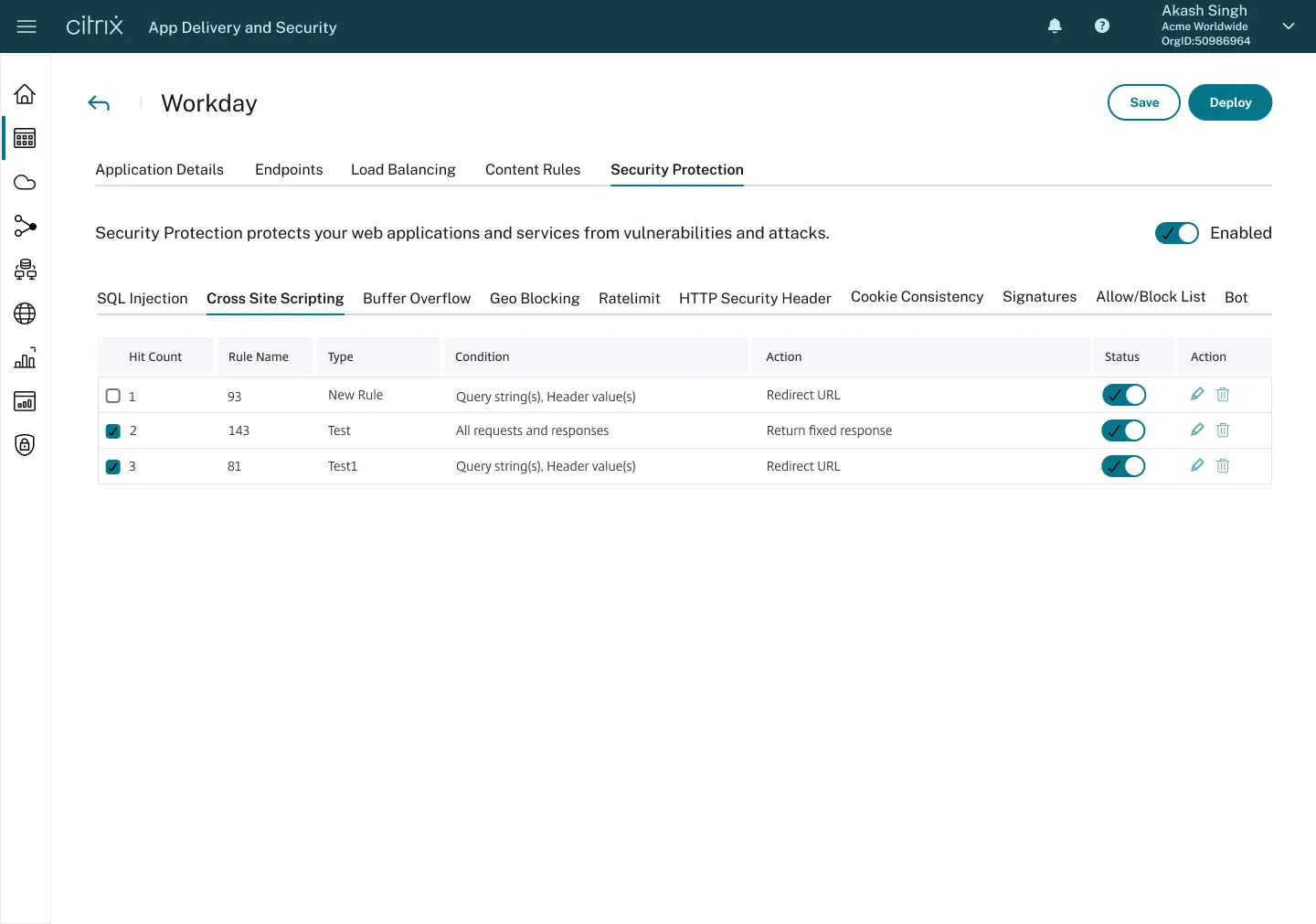
- Information Architecture Unification: co-designed and implemented a pattern-level IA that successfully unified four products under a cohesive portfolio, enhancing scalability and user experience.
- Cross-Functional Alignment: led discovery sessions to identify ambiguity and dependencies, ensuring alignment across product management, engineering, and executive stakeholders.
The successful launch and strategic growth of the new product, driven by user-centered design and a scalable architecture, solidified the company's position in the app delivery and security market and demonstrated the direct impact of design on business and organizational expansion.
Background
The product was envisioned as a way for system administrators to deploy, monitor, and control their company's internal and external applications in a simple way — while the platform handled the complex management behind the scenes.
Problem
Executives identified an unmet need in the marketplace where modern product design and automation helped customers understand complex issues at-a-glance. I was brought in to design the initial concept into a full product that was eventually delivered to General Availability.
Solution
Through my design leadership of the product, I achieved the following deliverables:
- Designed a new application from concept to General Availability
- Provided vision and guidance that helped shape the direction of the business
- Doubled funding of the product halfway through its development, increasing engineering headcount to 125
- Designed Information Architecture (IA) and data-flow models with Senior Architects
- Defined and designed the action policies and artificial intelligence (AI)/machine learning (ML) framework
- Influenced other product groups across the organization to drive strategy and vision while effectively communicating ideas to executive leadership
- Led discovery sessions to identify ambiguity and dependencies while aligning with stakeholders to create actionable and attainable plans
Process — Information Architecture
At the start, I took time to understand a new domain and build relationships with Principal Architects and Product Managers. The diagram below is a rough visual interpretation of my initial understanding of the different sub-systems that, combined, met the goals and desired outcomes of leadership.
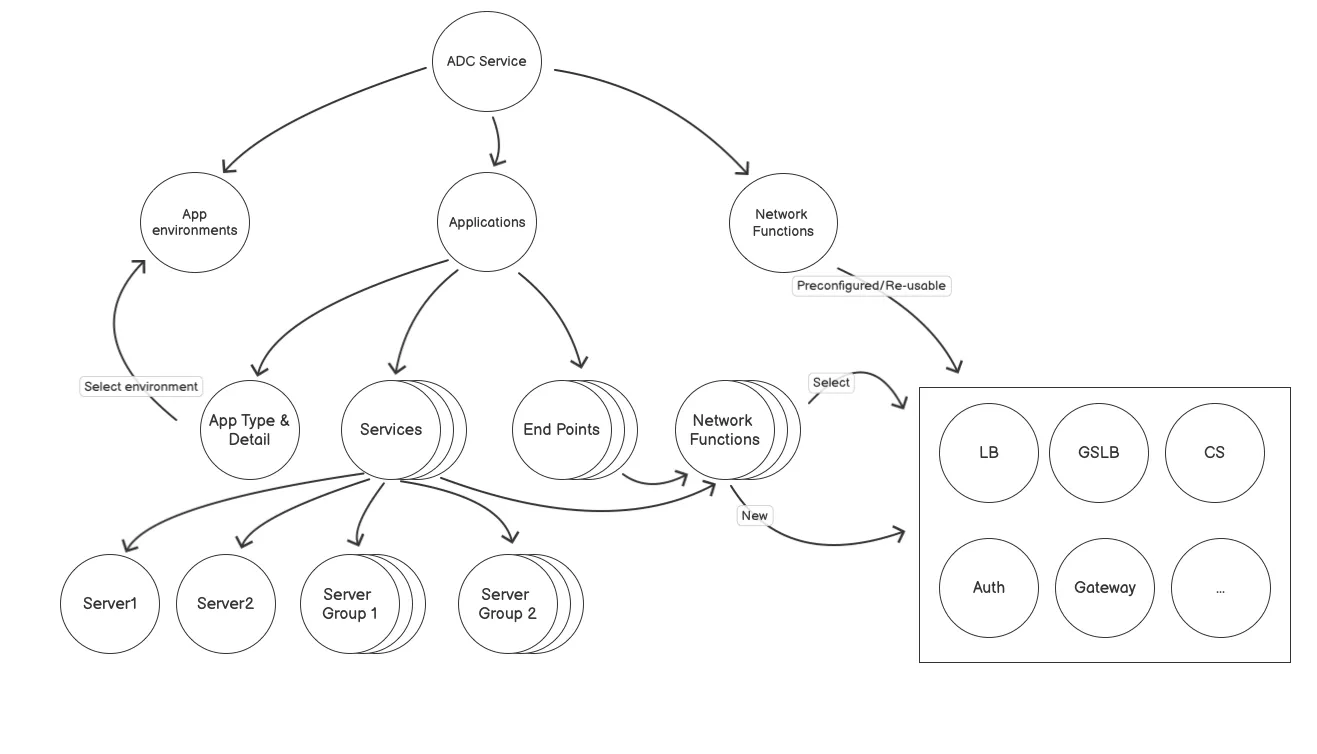
As my relationships with stakeholders and understanding of the product direction grew, it became apparent that the desired solution wasn't feasible with the current IA structure. Saying the IA had to be redesigned to build future use cases wasn't an easy conversation. Below is the initial Information Architecture concept.
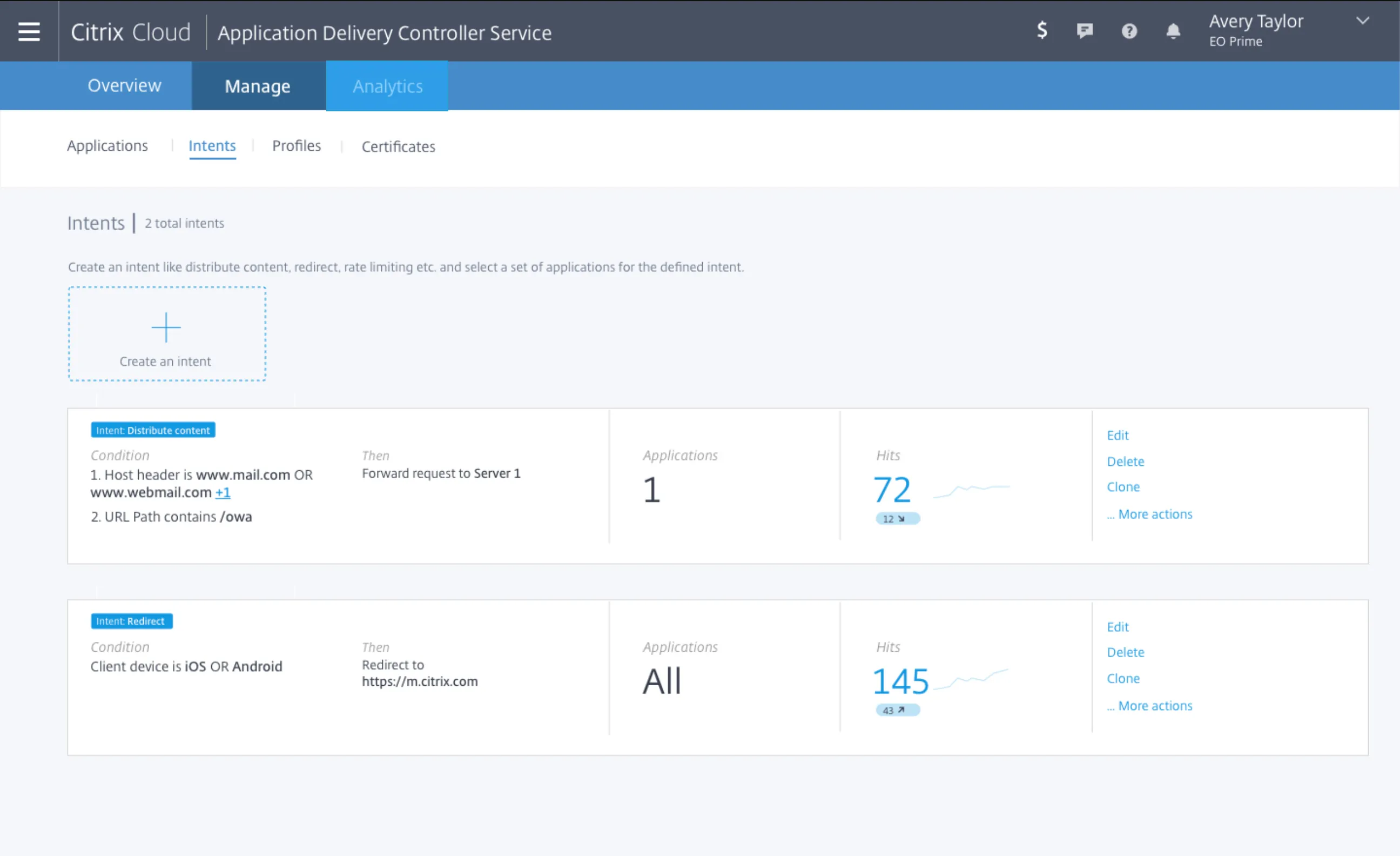
The diagram below shows where the team initially aligned on the design of the IA. After interviewing administrators familiar with the product and addressing their workflows, we were able to iterate and elevate the most important features. Network Functions (NF) were the initial building blocks used to create the ML models and AI feedback system. NF were reusable across any application, with analytics shown in many primary and secondary views — giving the administrator one centralized location to change the NF, streamlining their workload.
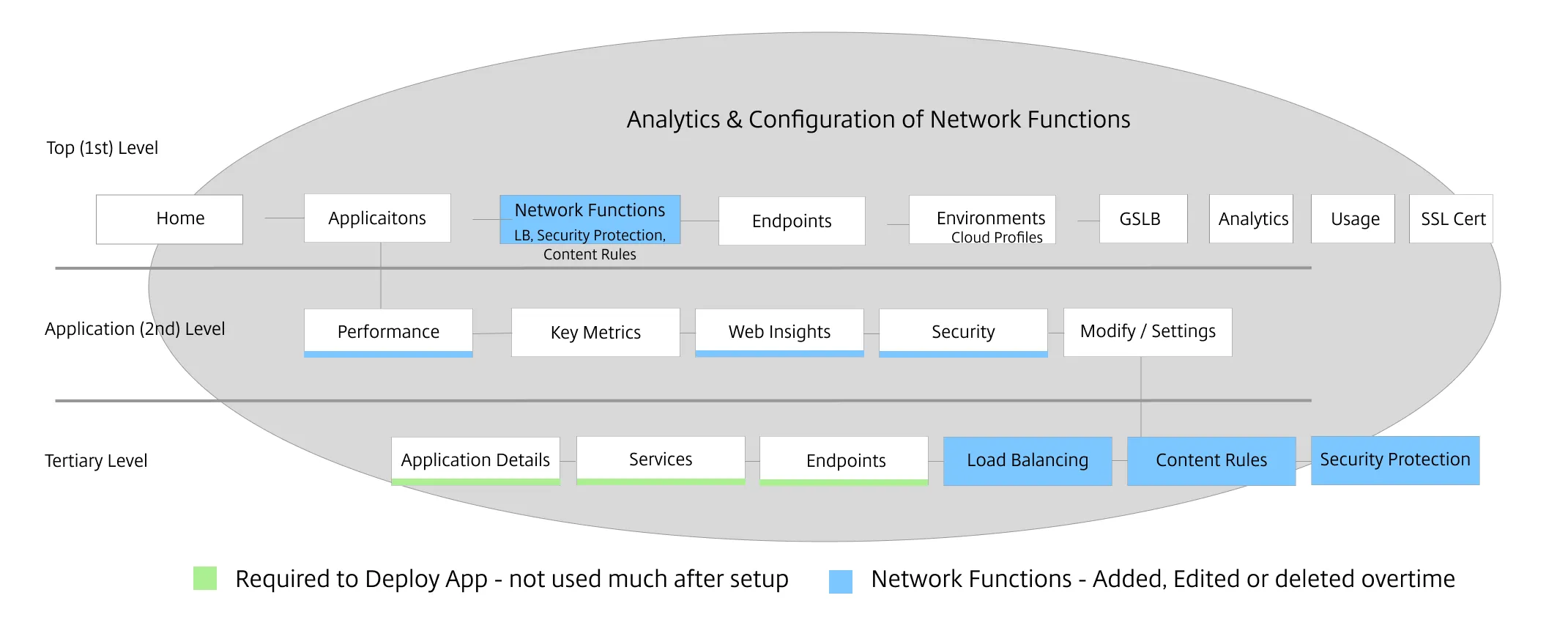
The IA called for first-level left navigation. This gave a lot more vertical space and was in accordance with the consistency goals the design team had across the product line. The end result brought a lot of clarity to the product and helped align product management, design, and engineering on our shared mission. We also reskinned the product in the company's new design system, working closely with the design system team on component creation in Figma.
Process — AI/ML Framework
Two founding values guided this work: (1) make analytics and configuration options pervasive at any level that made sense, and (2) trust is very hard to build — automate incrementally with users' permission. It was likely that users would want to feel in control of their instance and solve problems manually, while also automating incrementally over time by delegating tasks as they became comfortable.
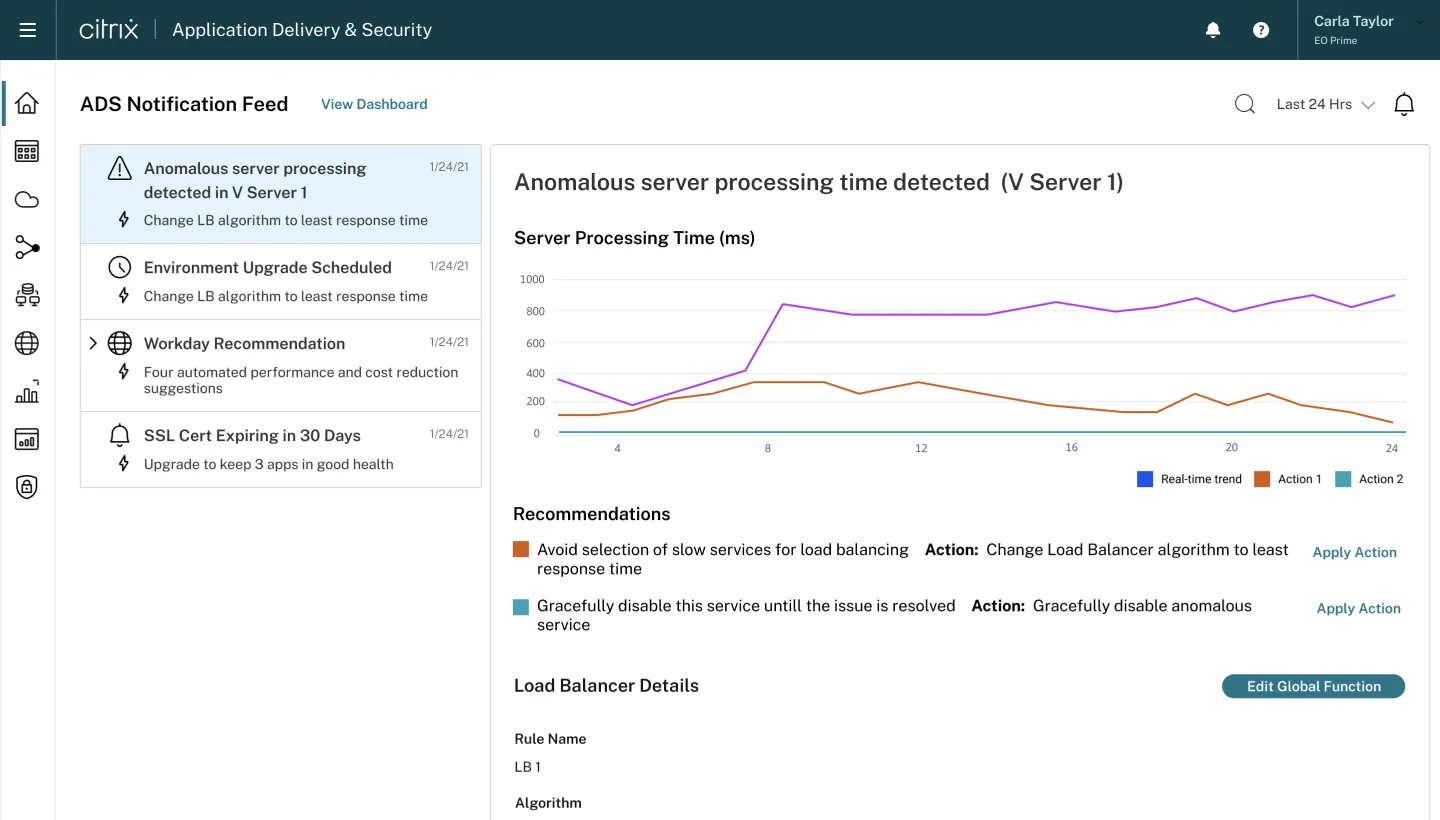
I designed the Universal Userflow that helped align the team in understanding the importance of the administrator, who needs to understand and trust the context of an issue as well as make relevant decisions based on real-time insights.
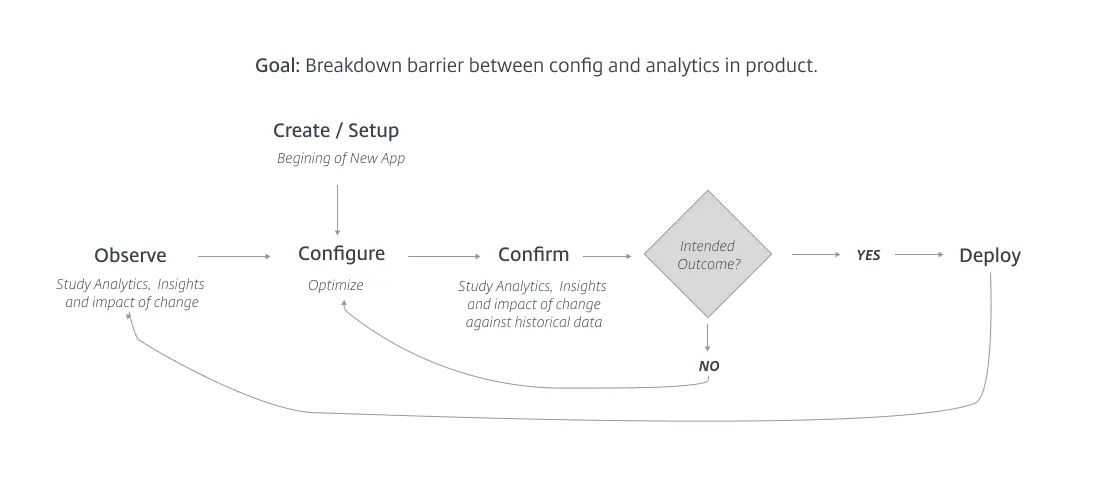
There was a critical need for a feedback loop notifying the administrator of system changes or when thresholds were breached. Elevating actionable insights into a central location was a key problem. I often used a driving question to align the team on the core problem and its design solution:
"How will the administrator know the product is doing its job and showing value to them?"
Talking about AI/ML is exciting but it can get confusing, especially with a new data model in a new product. I created the diagram below to help align the team's understanding, at a point when we were working on the third tier: Analytics, Metrics, Segments, and Training Data.
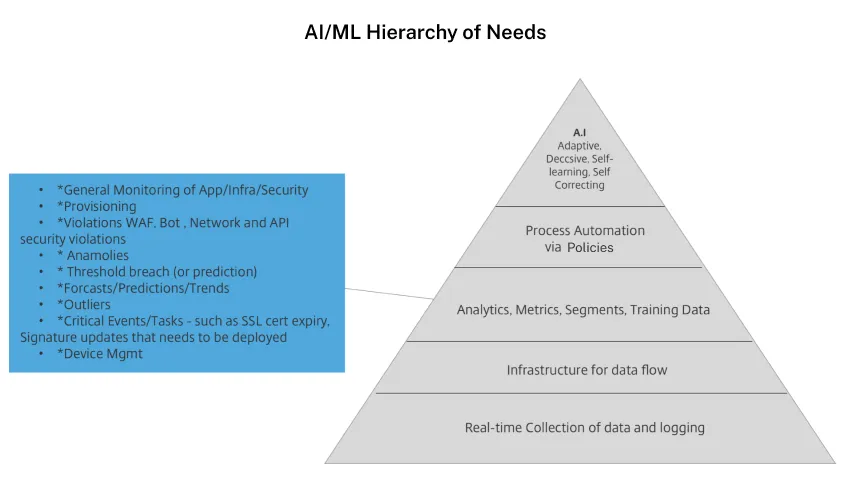
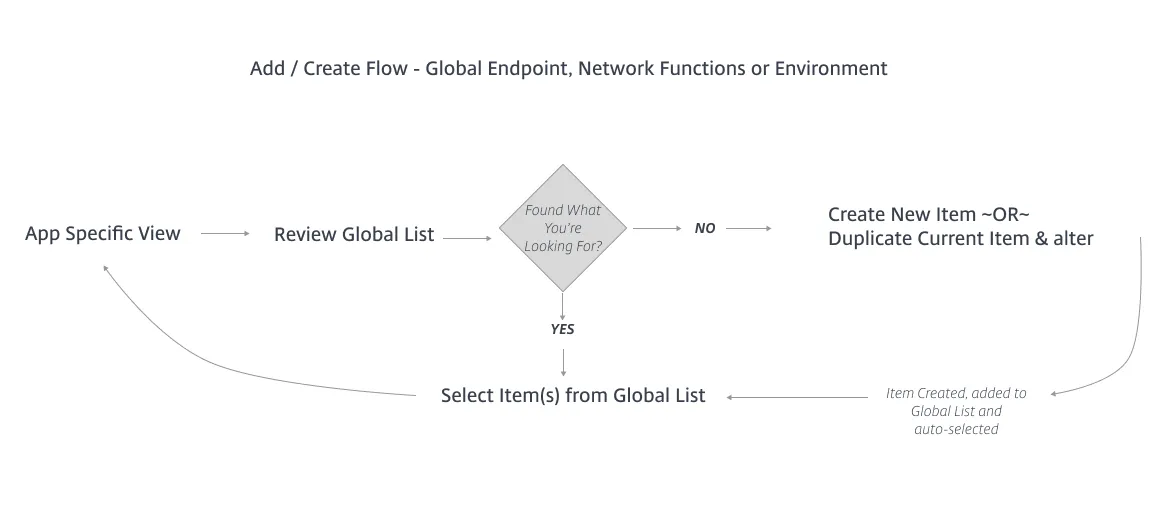
ML relies on massive amounts of data. Providing a central location for a user to observe and act on insights was critical to getting the customer to use the product more often, fulfilling the need for product-led growth while helping track preferences for better ML insights in the future. One goal was to make much of the core content reusable within each app it supported — NF were like ingredients that make up a meal: reused across different apps and swapped in or out as the meal (or menu) evolves. If thresholds were breached or security needed strengthening, administrators could alter NF parameters and deploy the change to every app that consumed it.
Process — User Research
After enough design progress was made, I started to validate the primary administrator workflow and dashboard concepts: an initial screening survey, 14 remote-moderated interviews for concept testing, and seven usability tests for follow-up validation.
Findings
- 44% of customers think "noisy alerting" is the main frustration they have with their current monitoring tool
- Alerting outside their monitoring tool is the first touch point administrators have to start proactively troubleshooting end-user issues and configuration problems
- General administrator workflow was effective for administrators' primary tasks
- Users loved the reusable aspect of NF and configurable dashboards
End Result
- 85% primary task success rate on launching a new app and re-configuring existing app
- 100% of the administrators felt the tool was something they would use regularly with their teams
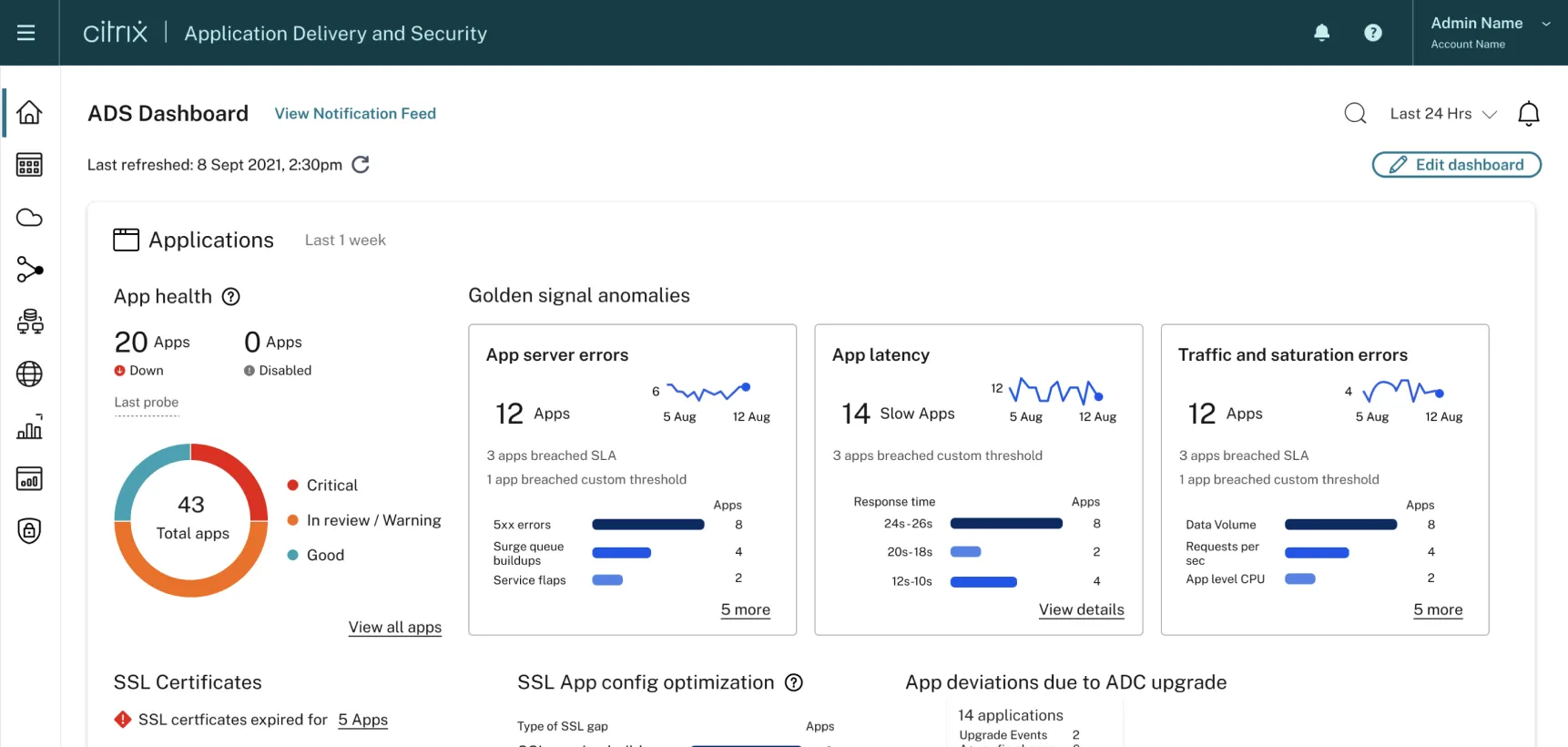
Eventually, we planned to build the Universal Notification feed and focus on end-user personalization.